If you sell on Etsy, you have probably had this moment:
Your shop looks busy. Orders are coming in. Customers are buying. The dashboard makes it feel like things are moving in the right direction.
Then you check your bank account and think:
“Where did the money actually go?”
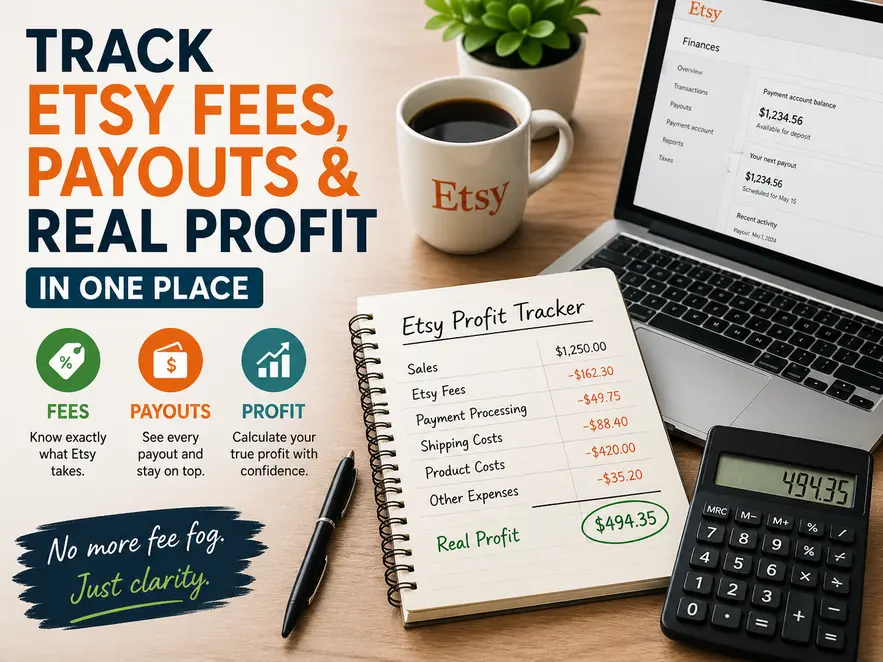
That gap between what you think you earned and what you actually keep is what I call fee fog. It is one of the biggest hidden problems for Etsy sellers, especially when sales, fees, shipping costs, refunds, ads and payouts are all mixed together.
The problem is not that you are bad with money. The problem is that your numbers are scattered across too many places. Etsy gives you data, but it does not always give you a simple business view of what matters most: sales, costs, payouts and real profit.
This guide shows you a practical way to track Etsy fees, payouts and profit without building a complicated spreadsheet or paying for expensive accounting software before you are ready.
What Is “Fee Fog”?
Fee fog is the confusion that happens when your shop appears to be making money, but you cannot clearly see how much profit is left after deductions.
For example, you might sell an item for £20 and feel like you made £20. But by the time you account for listing fees, transaction fees, payment processing, shipping costs, packaging, refunds, advertising and possible tax considerations, the amount you actually keep may be much lower.
That is where many Etsy sellers get caught out. They look at revenue and mistake it for profit.
Revenue is not profit. Revenue is the money coming in before costs. Profit is what remains after the costs have been deducted.
That distinction sounds simple, but it becomes messy when Etsy fees are spread across reports, payouts are batched together, and expenses are paid from different places.
Why Etsy Sellers Lose Track of Profit
Etsy sellers often start with a simple setup. You make products, list them, receive orders and ship them. At first, that works fine because the numbers are small enough to keep in your head.
But once sales become more regular, the mental bookkeeping starts to break down.
You may have one order with free shipping, another with paid shipping, one refund, a few listing renewals, an offsite ad fee, packaging supplies bought separately, and a payout that does not arrive on the same day as the sale. Suddenly, your “quick check” becomes guesswork.
This is why sellers often say things like:
- “I made about £500 this month, I think.”
- “Fees were probably around £100.”
- “I should have around £300 profit left.”
The danger is that those numbers feel close enough, so you keep making decisions from them. But if your estimates are wrong, you may underprice products, overspend on ads, miss cash flow problems, or get a nasty surprise at tax time.
The Three Numbers Every Etsy Seller Should Track
You do not need to track every possible business metric from day one. You need to start with the three numbers that give you control.
1. Gross Revenue
Gross revenue is the total money generated from your sales before anything has been deducted. For Etsy sellers, this usually includes the item price and any shipping charged to the customer.
This number tells you how much your shop is selling, but it does not tell you how healthy the business is. A shop can have strong revenue and still make poor profit if the costs are too high.
2. Total Costs
Total costs include the money that leaves the business as part of making, selling and delivering your product.
For Etsy sellers, this may include Etsy fees, payment processing fees, shipping labels, packaging, materials, refunds, advertising, design tools, bookkeeping tools and other small business expenses.
This is where profit is usually lost. Small fees look harmless on their own, but they add up quickly when you sell regularly.
3. Net Profit
Net profit is the amount you actually keep after costs.
Profit = Revenue - Costs
That formula is simple, but the value comes from recording the numbers consistently. If your records are incomplete, your profit calculation will be wrong.
Why Etsy’s Dashboard Is Not Enough on Its Own
Etsy’s dashboard is useful, but it is designed as a platform dashboard, not a complete business management system. It helps you see activity inside Etsy, but your business reality may also include costs and decisions that happen outside Etsy.
For example, Etsy may show you orders and fees, but it will not automatically give you a clean view of every packaging purchase, every external tool, every offline expense, or the true cost of producing each item.
Another issue is that payouts do not always match neatly to individual orders. Money may arrive in batches after fees, refunds or reserves have been applied. That makes it harder to look at one payout and understand exactly what happened.
So the real question is not “Does Etsy provide reports?” It does. The better question is:
Do you have one simple place where your sales, fees, costs and payouts come together?
If the answer is no, you are still working through fee fog.
The Simple Tracking System That Works
The best system for most small Etsy sellers is not the most complicated one. It is the one you will actually keep using.
A good tracking system should help you record four things:
- What sold
- What money came in
- What costs were taken out
- What payout reached your bank
When those four areas are visible, you can stop guessing. You can see whether your prices are high enough, whether certain products are less profitable than they look, and whether your payouts make sense compared with your sales activity.
Step 1: Track Every Sale
Start by recording each sale in a consistent format. You do not need to overcomplicate this. The goal is to capture enough information to understand where your revenue came from.
For each order, record the date, product name, sale price and shipping charged. If you sell different product types, it is also useful to add a simple category, such as digital download, handmade item, custom order or physical product.
This gives you a clean sales record. Over time, you will be able to see which products are selling often and which ones are taking up space without delivering much return.
Step 2: Track Every Cost
This is the part many sellers avoid, but it is the part that gives you the clearest profit picture.
Every sale has costs attached to it. Some are obvious, such as postage and materials. Others are easier to miss, such as renewal fees, transaction fees, processing charges, advertising fees and packaging supplies.
If you sell physical products, you should also track the cost of goods. That includes the materials or stock needed to produce the item. If you sell digital products, your direct cost may be lower, but you may still have design tools, marketplace fees, software costs, mockup tools or advertising costs.
The aim is not to make bookkeeping painful. The aim is to stop small leaks from hiding inside your shop.
Step 3: Track Actual Payouts
Your payout is the reality check. It shows what actually arrived in your bank account.
For each payout, record the payout date and the amount received. Then compare it with your tracked sales and costs for the same period.
If your records say you should have more money than your bank account shows, something is missing. It may be a fee you did not record, an ad charge, a refund, a shipping cost, or an expense paid outside Etsy.
This comparison is powerful because it turns confusion into a problem you can investigate.
A Practical Example
Let’s say you sell an item for £20 and charge £3 for shipping.
Your total income for that order is £23.
Now you record the related costs:
- Etsy fees: £2.50
- Payment processing: £1.20
- Shipping label: £2.80
Your total costs are £6.50.
That means your estimated profit is:
£23.00 - £6.50 = £16.50 profit
That is a much clearer number than simply saying, “I sold something for £20.”
Once you repeat this process across all orders, you begin to see your real margins. You may discover that some products are much more profitable than others. You may also discover that a popular product is not worth the time, cost or effort unless you raise the price.
The Best Way to Record It: Use One Central Ledger
You can track your numbers in a spreadsheet, but spreadsheets are easy to break if you are not comfortable with formulas. They also become messy if you keep adding columns without a clear structure.
For many small sellers, a simple accounting ledger is easier to maintain. It gives you one consistent place to record income, expenses and balances without turning bookkeeping into a technical project.
A ledger works because it forces a useful habit: every money movement gets recorded. Sales go in. Fees and expenses go out. The balance shows where you stand.
Simple Accounting Ledger
Recommended simple system
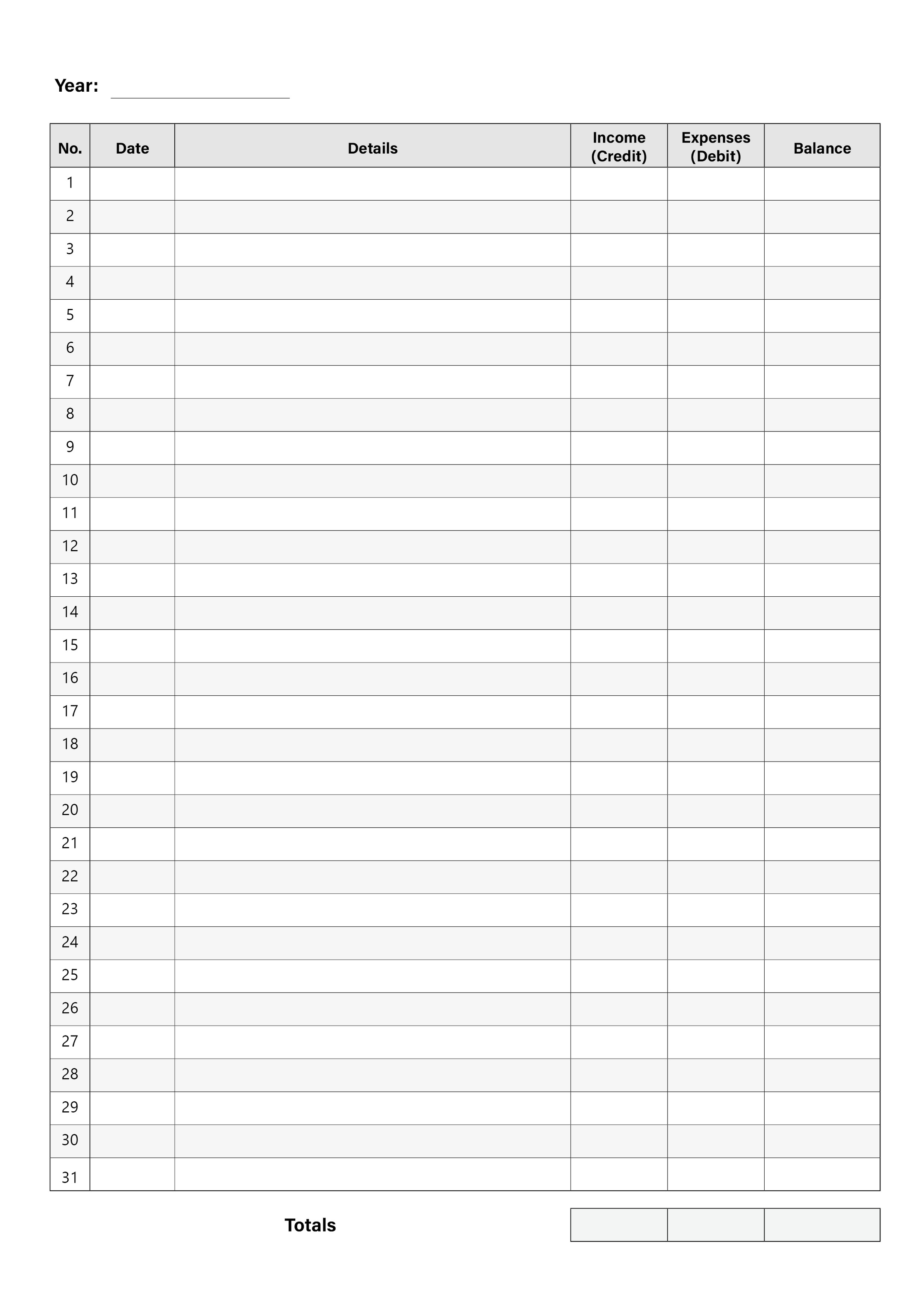
This is not about making your business admin more complicated. It is about creating a reliable habit. When you have one place for income and expenses, you no longer need to piece together your profit from memory, dashboard screenshots or random notes.
Daily, Weekly and Monthly Tracking Routine
The easiest way to stay in control is to make tracking part of your routine. You do not need to spend hours on it. In fact, the less dramatic the system feels, the more likely you are to keep using it.
Daily: Spend Five Minutes Recording Activity
At the end of each selling day, record your new orders, any visible fees, shipping labels and obvious expenses. If you had no sales, you can still record expenses such as packaging, materials or ad spend.
This prevents small items from being forgotten.
Weekly: Review the Numbers
Once a week, look at your totals. Check your revenue, your main costs and your estimated profit. This is where you start spotting patterns.
For example, you may notice that one product sells often but has poor margin because of packaging or postage. You may also see that a small price increase would make a big difference to your profit.
Monthly: Compare Against Payouts
At the end of the month, compare your tracked figures against the actual payouts received in your bank account.
This is your reconciliation step. You are checking whether your records reflect reality. If they do not, you investigate and fix the gap.
Common Mistakes Etsy Sellers Should Avoid
The first mistake is tracking only payouts. Payouts show money received, but they do not explain the full story. If you only track payouts, you may miss the relationship between sales, fees, expenses and profit.
The second mistake is ignoring small fees. A small charge may not matter once, but repeated across dozens or hundreds of orders, it becomes meaningful. Small fees are exactly the kind of thing that creates fee fog.
The third mistake is mixing personal and business spending. If you pay for supplies, software or shipping from different accounts without recording them, your profit will never be accurate.
The fourth mistake is building a system that is too complicated. A perfect system that you never use is worse than a simple system you update every week. Start with the essentials and improve later.
How Better Tracking Improves Pricing
Clear tracking does more than tidy up your records. It helps you price with confidence.
When you know your real costs, you can stop guessing whether your prices are high enough. You can calculate the minimum price needed to make a sale worthwhile. You can also identify which products deserve more promotion and which ones need to be improved, repriced or removed.
This is especially important for sellers who undercharge because they only look at material costs. Your price also needs to account for marketplace fees, packaging, time, tools, returns, advertising and profit.
Once the numbers are visible, pricing decisions become much less emotional. You are not asking, “Will customers think this is too expensive?” You are asking, “Does this price support a sustainable business?”
When You Should Move Beyond a Simple Ledger
A ledger is a strong starting point, especially for small sellers who want clarity without software overload. But as your shop grows, you may eventually need extra support.
You might consider accounting software if you have high order volume, multiple sales channels, payroll, inventory complexity, VAT obligations, or an accountant who wants records in a specific format.
That does not mean you need to jump into paid software immediately. The smarter move is to build good habits first. A simple ledger teaches you what to track and why it matters. Once you understand your numbers, moving to a more advanced system becomes much easier.
Affiliate link placeholder: If you recommend bookkeeping software, receipt scanning tools, cloud storage, spreadsheet templates or accounting apps, add your affiliate recommendation here.
Quick Action Plan
If your Etsy numbers currently feel messy, do not try to fix everything at once. Start with a simple routine you can maintain.
- Choose one place to record income and expenses.
- Record every sale, fee, shipping cost and business expense.
- Track Etsy payouts separately as your bank reality check.
- Review your profit weekly.
- Use the numbers to adjust prices, reduce costs and make better decisions.
Final Thought: Clarity Creates Profit
Most Etsy sellers do not fail because they cannot make sales. Many fail because they cannot clearly see what those sales are worth after the costs are removed.
When you remove fee fog, your shop becomes easier to manage. You understand which products are profitable, where your money is going, and whether your prices make sense.
That clarity lowers stress and improves decisions. It also helps you treat your Etsy shop less like a guessing game and more like a real business.
Start simple. Track consistently. Review the numbers. Then use what you learn to protect your profit.
This guide is general business information only and is not accounting, tax or legal advice. Always check your records carefully and speak to a qualified professional if you need advice for your specific situation.